
Smart Home Security Installation Cost and Benefits
Smart home security system installation cost and benefits explained, from DIY kits to pro installs. Call 8334393727 for free local estimates.

By Sarah Thomas
Learn more about Home Security and Alarms Install for guides, costs, and what to expect.
Compare Home Security and Alarms Install Pros Near You

Enter your ZIP code to compare top-rated local professionals and request free quotes.
A smart home security system can watch over your property, alert you the moment something looks wrong, and even lock your doors while you are miles away. That peace of mind sounds appealing until you see quotes that range from a few hundred dollars to well over two thousand. The gap between those numbers usually comes down to equipment, monitoring plans, and whether you hire a professional or install the system yourself. Understanding what drives smart home security system installation cost and benefits helps you choose a setup that protects your home without wrecking your budget.
What a Smart Home Security System Actually Includes
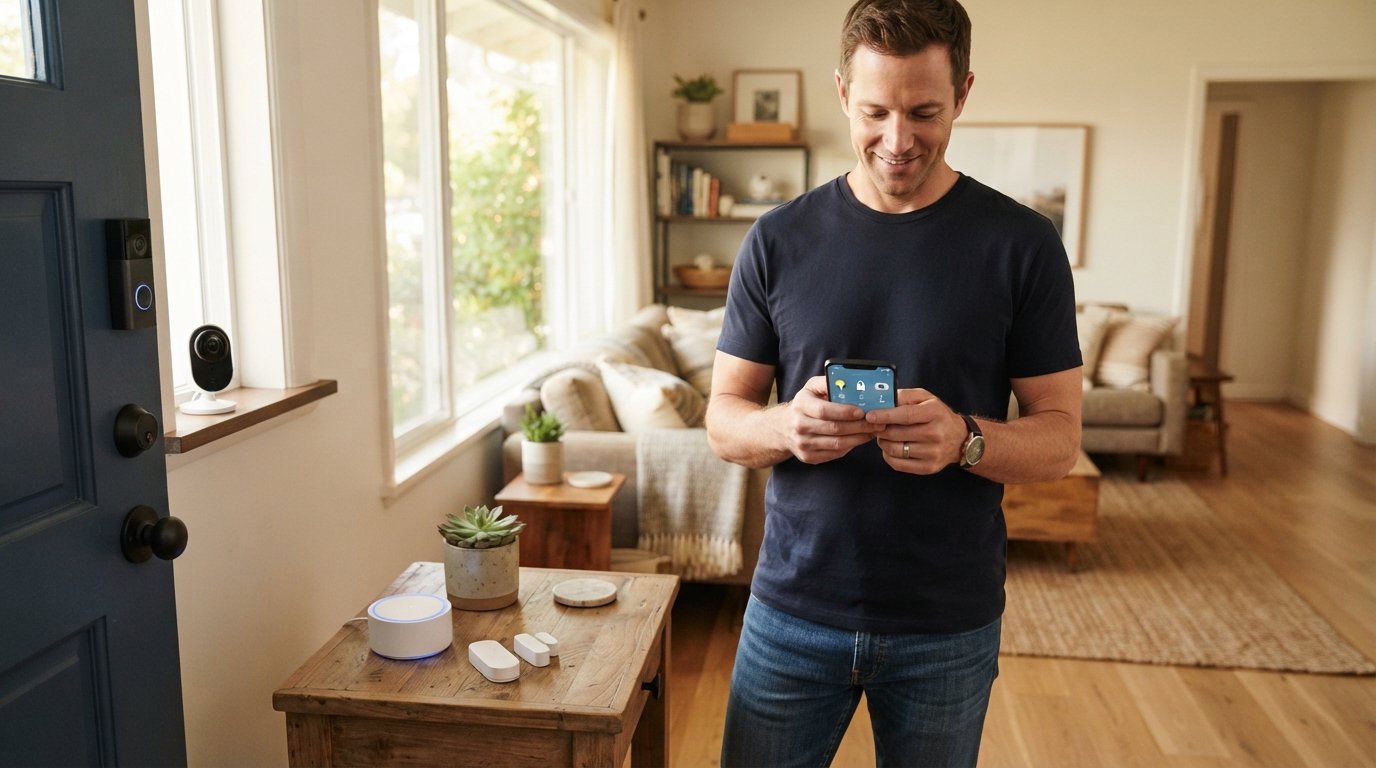
A smart security system is more than a few cameras and a siren. It is a network of devices that talk to each other and to your phone. At the center sits a hub or base station that connects sensors, cameras, locks, and motion detectors to the internet. When something triggers a sensor, the hub sends an alert, records video, or contacts a monitoring center.
Most packages fall into three tiers. Basic kits usually include a hub, a couple of door or window sensors, and a motion detector. Mid-range systems add indoor and outdoor cameras, a video doorbell, and smart locks. Premium packages layer on professional monitoring, cellular backup, glass break sensors, and environmental monitors for smoke or water leaks. The tier you pick is the single biggest factor in your total cost.
It also helps to understand how these systems differ from traditional alarms. Older alarms were dumb terminals: they beeped, and maybe a call went out. Smart systems let you check live video, arm or disarm remotely, and receive instant notifications. That added intelligence is exactly why homeowners are willing to pay a bit more upfront.
Smart Home Security System Installation Cost Breakdown
When you price a system, you are really pricing four separate things: equipment, installation labor, monitoring, and any extras like extra sensors or smart home integration. Skipping any one of these in your math leads to surprise bills later. Here is how each piece typically plays out.
- Equipment: DIY kits run $200 to $600. Professionally supplied systems with cameras and smart locks usually land between $600 and $1,500.
- Installation labor: Professional installation adds roughly $100 to $500 depending on the number of devices and the complexity of wiring.
- Monitoring: Optional monthly plans range from $10 for basic app alerts to $60 or more for 24/7 professional monitoring with cellular backup.
- Extras: Additional sensors ($20 to $50 each), extra cameras ($100 to $300 each), and smart integration modules can push the total higher.
As a general rule, a straightforward DIY system for a small house might cost $300 to $500 all in. A professionally installed system with cameras, smart locks, and a year of monitoring often runs $1,200 to $2,500. Larger homes with many entry points, detached garages, or long cable runs sit at the top of that range.
If you are bundling security with other upgrades, it is worth understanding how related installations compare. In our guide on smart thermostat installation cost and benefits, we explain how small smart devices add up and how to plan them alongside bigger projects. The same budgeting logic applies to security: decide what you truly need, then price each piece.
DIY vs. Professional Installation Costs
DIY installation saves the labor fee but costs you a weekend. Most kits are designed for plug-and-play setup: mount the sensors, pair them with the app, and you are done. The catch is that placement matters. A motion sensor aimed at a heating vent will trigger false alarms, and a camera mounted too high will miss faces.
Professional installation typically costs $100 to $500, and it buys you correct placement, clean cable runs, and someone to call if a device fails. If your home has thick walls, limited outlets, or you want hardwired cameras, professional installation is usually worth the money. For renters or small apartments, DIY often makes more sense because the system can move with you.
A middle path is common: buy the equipment yourself and hire a local technician for a few hours to mount cameras and sensors. This hybrid approach can keep labor under $200 while still getting professional placement.
The Real Benefits of a Smart Security System
Cost is only half the equation. The benefits of a smart system go well beyond catching a burglar. They change how you interact with your home every day and can even nudge your insurance premiums down.
Start with awareness. Traditional alarms tell you something happened after the fact. Smart systems tell you what is happening right now, with live video and instant alerts. That means you can check on a package delivery, see whether the garage door is open, or confirm that a pet sitter arrived on time.
Then there is automation. You can set lights to turn on at sunset, lock doors automatically at bedtime, and arm the system when the last person leaves. These small automations reduce the mental load of homeownership and close the gaps that burglars look for, like an unlocked door or a dark house.
Insurance is another underrated benefit. Many insurers offer discounts of 5 to 20 percent on homeowners policies when you install a monitored security system. Over several years, those savings can offset a meaningful chunk of your installation cost. Check with your provider before you buy so you can choose a system that qualifies.
Finally, smart systems help with resale value. Buyers increasingly expect connected homes, and a well-installed security setup signals that the property has been maintained. It is not the same as a kitchen remodel, but it is a low-effort upgrade that makes a home feel modern.
How to Budget for Installation Without Overspending
The biggest mistake homeowners make is buying the most expensive kit on the shelf. A four-bedroom house does not need twelve cameras, and a studio apartment does not need a full perimeter sensor array. Match the system to your actual risks and routines.
A practical budgeting framework looks like this:
- List every entry point (doors, ground-floor windows, garage).
- Decide which ones truly need sensors versus which are covered by a single motion detector.
- Choose two or three high-traffic areas for cameras: front door, back door, driveway.
- Price a base kit that covers those needs, then add monitoring only if you travel often or want backup response.
Following that order usually keeps equipment under $800 for an average home. If you hire a pro, add $150 to $400 for labor. Then decide on monitoring month by month instead of locking into a long contract. Many companies now offer month-to-month plans, which lets you pause during periods when you are home more often.
It also pays to think about future upgrades. If you might add smart lighting or a video doorbell later, choose a hub that supports those devices. Buying a closed system now can force an expensive replacement later.
Choosing the Right Installer for Your System
If you decide to go professional, the installer matters as much as the equipment. A good technician will walk your property, point out blind spots, and recommend sensor placements you had not considered. A bad one will drill holes in the wrong spots and leave you with false alarms.
Ask three questions before you hire anyone:
- Are you licensed and insured for low-voltage electrical work?
- Do you provide a written quote that separates equipment, labor, and monitoring?
- What happens if a device fails in the first year?
Getting multiple quotes is the simplest way to avoid overpaying. When you compare bids side by side, you can see whether a high price reflects better equipment or just a bigger markup. If you want help finding vetted local pros, BuySellRemodel helps homeowners plan affordable home improvement projects and connect with experienced local contractors, from free estimates to remodeling, repairs, and upgrades. That kind of comparison shopping is exactly how you keep a security install on budget.
Also confirm whether the installer works with the brand you want. Some technicians specialize in certain ecosystems, and mixing brands can create compatibility headaches. If you already own smart devices, tell the installer upfront so they can plan around them.
Ongoing Costs Most Homeowners Forget
The sticker price is not the whole story. Smart security systems carry recurring costs that can add up over five years. Monitoring is the obvious one, but there are others: cloud storage for camera footage, replacement batteries for sensors, and occasional software subscriptions for advanced features like facial recognition or package detection.
Cloud storage typically runs $3 to $15 per month per camera. If you have four cameras, that is $150 to $700 over a year, which can rival the equipment cost itself. Some systems offer local storage via a base station or SD card, which avoids the monthly fee but limits remote access.
Batteries are a smaller but steady expense. Most sensors last one to two years on a single battery, and a house with twenty sensors can go through $30 to $60 worth of batteries annually. Hardwired or solar-powered options reduce that, though they cost more upfront.
The smart move is to calculate a three-year total cost of ownership before you buy. Add equipment, installation, monitoring, and storage, then compare that number across two or three systems. The cheapest kit is not always the cheapest system.
Is a Smart Security System Worth It for Your Home?
For most homeowners, the answer is yes, provided the system matches your lifestyle. If you travel, work late, or live in an area with break-ins, the value is obvious. If you are home most of the time and live in a low-crime neighborhood, a basic DIY kit with a video doorbell may be all you need.
The financial case is strongest when you combine three factors: an insurance discount, a reasonable equipment package, and month-to-month monitoring you can pause. Under those conditions, a smart system can pay for a meaningful share of itself over a few years while giving you daily convenience.
Start small if you are unsure. Buy a hub and two cameras, live with them for a month, and see how often you actually use the app. Then expand based on real habits rather than a sales pitch. That approach keeps your smart home security system installation cost and benefits in balance, protecting your home without stretching your budget.